Web push for MENA portals: alerts without delivery promises
Design Arabic and English web notifications around permission, expiry, shared devices and an authenticated work inbox.
A maintenance supervisor receives a notification about an urgent job, opens the portal and discovers that someone else has already completed it. Another worker never receives the alert at all. Neither case should corrupt the work queue or leave the team unable to find the current assignment.
For a bilingual operations portal serving teams in Saudi Arabia or the UAE, web push can make a useful difference between a task waiting unnoticed and a user returning to the application. It should remain an optional way to attract attention. The application needs to work when permission is denied, a device is offline or a notification arrives late.
This guide proposes a notification architecture for that kind of portal: keep business state on the server, send a minimal alert, then fetch the current record through an authenticated request. It is an engineering design, not a claim about measured delivery rates.
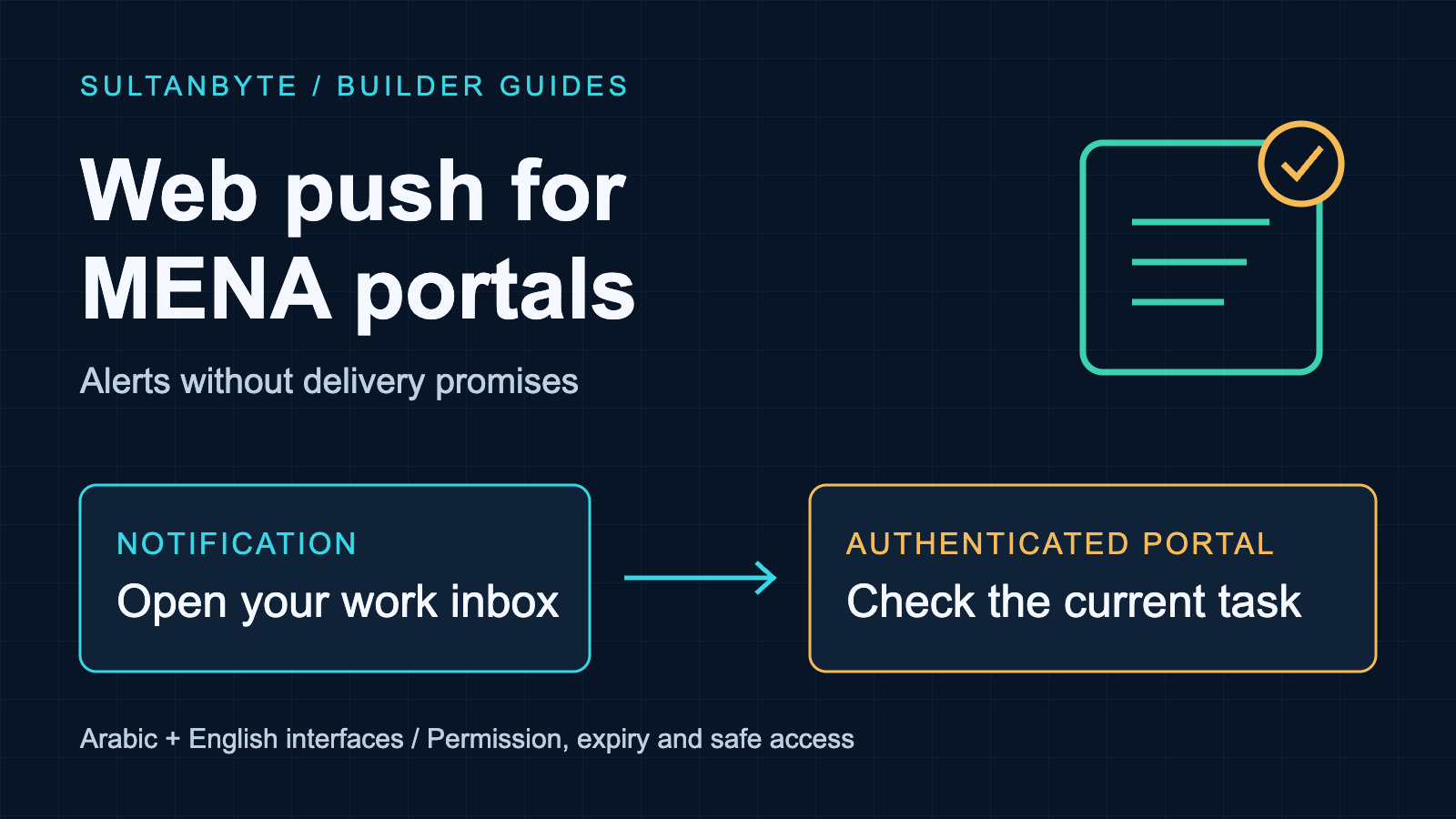
Cover: original SultanByte artwork showing a push alert leading back to an authoritative work record.
Define what a successful notification means
Separate the stages in your product metrics. The sender can attempt a request, the push service can accept it, a device can receive it, and a person can open the application. Completing the underlying job is a further business event.
Firebase's message-lifespan documentation explicitly says that receiving a message ID means acceptance for delivery, not delivery to the device. Avoid a dashboard that labels every accepted request as a worker successfully notified.
For the proposed portal, record a notification ID, intended recipient, business-event reference and sender outcome. Record an authenticated inbox view or explicit acknowledgement separately, with names that describe what actually happened. Opening a screen does not prove that someone understood an instruction.
The useful product promise is that pending work remains discoverable in the portal. If a workflow requires acknowledgement by a deadline, build an overdue-work process around that server-side deadline. Choose any escalation channel separately, with its own permissions and operating rules. Increasing push urgency is not an acknowledgement mechanism.
Ask for permission after explaining the benefit
Put an explicit notification control beside a relevant workflow, such as following an assigned maintenance queue. Explain which alerts it enables and provide a way to turn them off. Do not make permission a condition of accessing ordinary work records.
Apple's web-push guidance requires a user gesture for the permission flow. It documents support for Home Screen web apps on iOS 16.4 or later, rather than promising that every ordinary browser tab on an iPhone can subscribe. Test the installed-app path your customers will actually use.
Feature detection is only the first check. Your onboarding should distinguish unsupported environments, permission not yet requested, permission denied, and a subscription successfully registered with your server. A browser permission grant without a saved server association is not an operational notification setup.
Apple also says Safari does not support invisible push: a received push must promptly produce a visible notification, or permission can be revoked. Do not design this channel as a silent background scheduler. The normal application refresh path must work without it.
Treat the subscription as a delivery address
The W3C Push API working draft describes subscriptions associated with service-worker registrations and provides subscription refresh and deactivation mechanisms. A subscription is not a durable proof that the person currently holding the device is the person who first enabled notifications.
Create the server association through an authenticated endpoint. Derive the account and tenant from verified application context, not an arbitrary user ID in the submitted JSON. For this design, keep a separate record for each browser installation, with its owner, enabled notification categories, preferred language and lifecycle state.
Check the subscription again during authenticated application startup and reconcile changes with the server. Handle permanent endpoint failures by disabling the affected destination rather than retrying forever. Keep transient failures on a bounded retry path that cannot continue beyond the alert's useful lifetime.
Shared devices need an explicit policy. On sign-out or account handover, stop the previous account's server-side sends to that installation and attempt local unsubscription where appropriate. Do not promise that this recalls an alert already queued or displayed. That limitation is one reason to keep the notification itself generic. SultanByte's shared-device logout guide covers the wider handover problem.
Send a hint, then retrieve the current record
A suitable notification might say, "An assigned task has changed. Open your work inbox." It need not contain a customer's name, address, invoice value or medical information. A notification preview is a poor place to expose material that the portal normally protects behind sign-in.
RFC 8291 defines encryption for web-push message content between the application server and user agent. It also explains the limits: message timing and communication relationships remain visible to the push service, and HTTP headers are outside that content-encryption protection. Encryption does not make the notification route equivalent to a purely internal application request.
For a Saudi deployment and a UAE deployment, document each route independently: application sender, push service, subscription storage, telemetry and support access. Do not infer routing or contractual acceptability from the user's interface language. Assess the actual service arrangements for each deployment; this guide makes no country-wide hosting or compliance claim.
When the user opens the alert, navigate to a fixed application route or a validated same-origin destination. Require sign-in if necessary, check current access, and load the latest task state. OWASP's authorization guidance calls for permission checks on every request. A notification identifier must not become an access token.
If the task was reassigned, explain that the user can no longer access it without revealing its details. If it was completed, show that current state. Never apply a business transition simply because the browser received a message or the user tapped a notification.
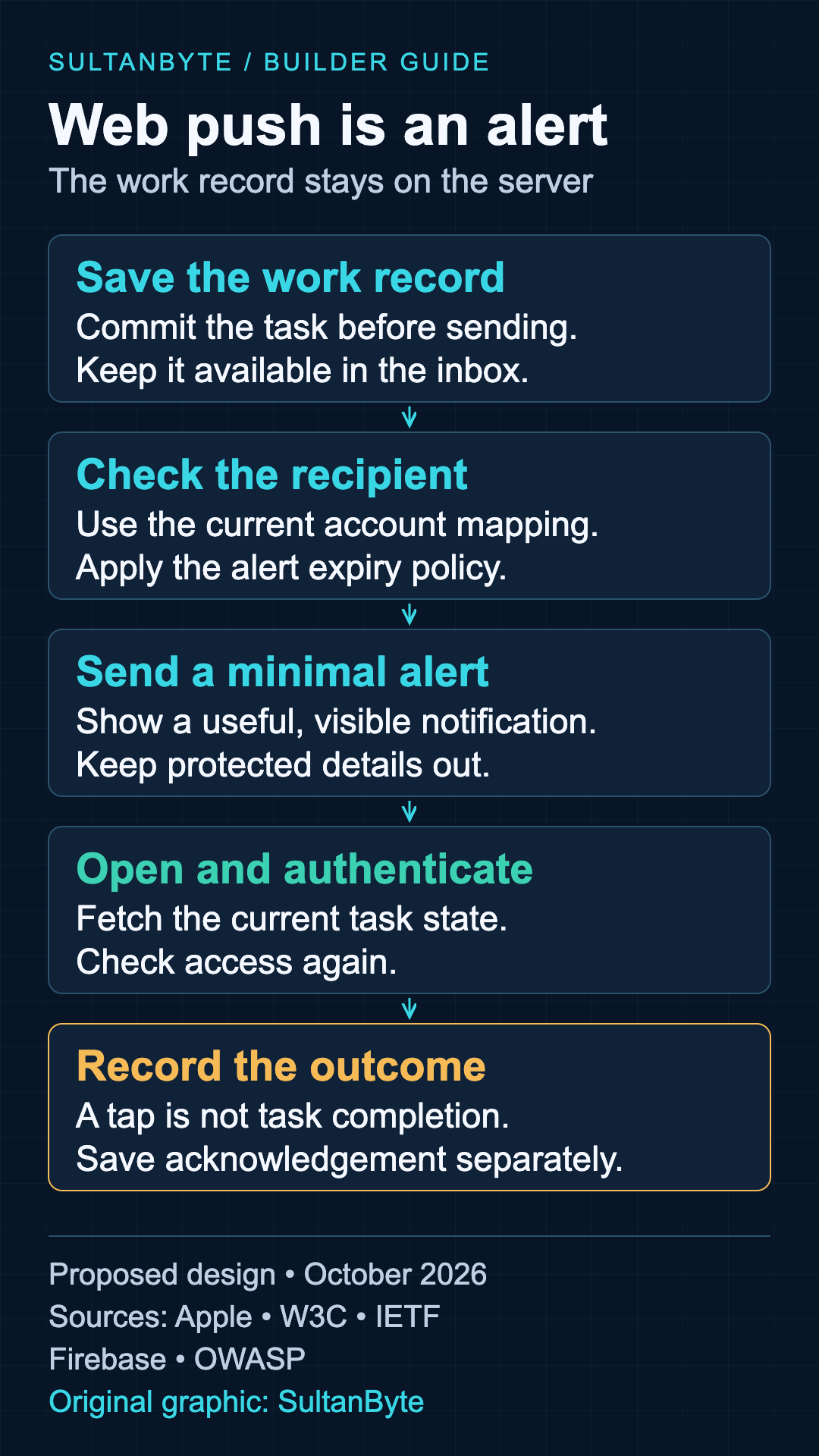
Original infographic: SultanByte. Proposed implementation flow informed by Apple, W3C, IETF, Firebase and OWASP documentation, October 2026. The diagram describes design responsibilities, not measured delivery performance.
Give each alert an expiry policy
RFC 8030's TTL rules define how long a push service may retain a message. The service may choose a shorter duration than requested. A zero TTL means an unavailable recipient will miss that message; it is not a request for guaranteed immediate delivery.
Choose TTL from the business event's useful lifetime, then stop your own retries at the same deadline. A dispatch offer that is no longer actionable should not remain queued like a long-lived reminder. The underlying offer still needs server-side expiry checks because transport expiry does not govern business authorization.
Do not inherit provider defaults without review. Firebase documents a default maximum lifespan of four weeks when the relevant lifespan field is omitted. That is a provider behavior, not a sensible default for every operations alert.
Replacement also needs care. RFC 8030's Topic mechanism can replace a queued message for the same subscription and topic. Use it for a latest-state hint when appropriate, not to preserve a complete event history. Keep the history in the application. Scope replacement identifiers so unrelated work does not accidentally replace another alert, and avoid putting personal data into the identifier.
A displayed notification's tag is a different control from the push service's Topic. Specify which layer is replacing what; a shared name in your code should not hide that distinction.
Make Arabic copy survive the operating system
MDN's showNotification() reference documents lang, dir, tag and optional actions. It also warns that browsers may ignore direction settings and that support varies across options. Setting dir: "rtl" is not enough to certify the appearance of an Arabic notification.
Use the recipient's saved language preference, independently of their country or tenant's deployment. Keep Arabic titles short and put the most useful information first. Avoid joining an Arabic sentence, a Latin identifier and punctuation into one dense title when a generic message would be clearer.
Test the actual notification surface, not only an HTML preview. Include Arabic and English operating-system settings, truncated banners, expanded notifications and lock-screen previews. Inspect mixed-script identifiers where they are genuinely required. Verify that the default tap opens the useful screen even on a platform that omits optional action buttons.
Prefer opening the task for review over an action labelled "Approve" that immediately changes server state. If direct actions are a product requirement, give them a separately reviewed authentication, authorization and confirmation design. They should not inherit authority from the mere presence of the notification.
A release checklist the operations team can use
Use synthetic accounts and tasks for the first rollout. The following cases are proposed acceptance tests, not claims that any browser or service automatically passes them:
- Deny notification permission. The user can still find and complete assigned work in the portal.
- Keep a device offline past the alert deadline. Old work cannot be accepted when the application reconnects.
- Deliver the same logical alert twice. The work record and any acknowledgement remain correct.
- Reassign a task after sending. Opening the old alert checks current permissions and current state.
- Sign out and switch accounts on one device. New sends stop for the old association, and any late alert reveals no protected details.
- Remove a subscription or revoke permission. The application offers accurate setup status rather than claiming notifications remain enabled.
- Test Arabic copy on the supported devices. Titles remain understandable when truncated, and the main tap works without secondary buttons.
Give support staff a distinction they can act on: permission/setup problem, sender failure, accepted-but-unconfirmed delivery, or a business task still awaiting acknowledgement. Restrict access to subscription records and exclude endpoint URLs and encryption material from routine diagnostics.
Launch with one useful alert category and an in-app inbox that stands on its own. Add more categories only when the team can explain their value, expiry and interruption cost. A notification should help a person return to reliable information; the work record must remain correct whether that notification arrives or not.
About the author
- I have lead the Engineering for multiple startups in UAE. I also have my own agency qualascend.com.
Comments
Join the discussionNo comments yet. Be the first to comment.
Builder Guides
Practical architecture, engineering, security and implementation guides for teams building technology in MENA.