Rich text in Arabic portals: paste, sanitize and render
A restricted content policy for Arabic-English notes, from pasted documents and server validation to links, direction and every saved view.
A support agent pastes an Arabic delivery note from a document into a customer portal. The paragraph looks right in the editor. After saving, its reference number moves beside the wrong punctuation, its link opens an unexpected destination, or its formatting disappears in the email notification.
Rich text crosses several boundaries before another person reads it. The editor, API, stored document and final renderer must agree on what the product accepts. A toolbar with five buttons does not establish that agreement.
This guide proposes a restricted notes feature for an Arabic-English business portal. Think of separate Saudi and UAE customer deployments sharing an editor implementation, while keeping their tenant permissions and attachment routes distinct. It is a design proposal, not a security certification or a claim about national hosting requirements.
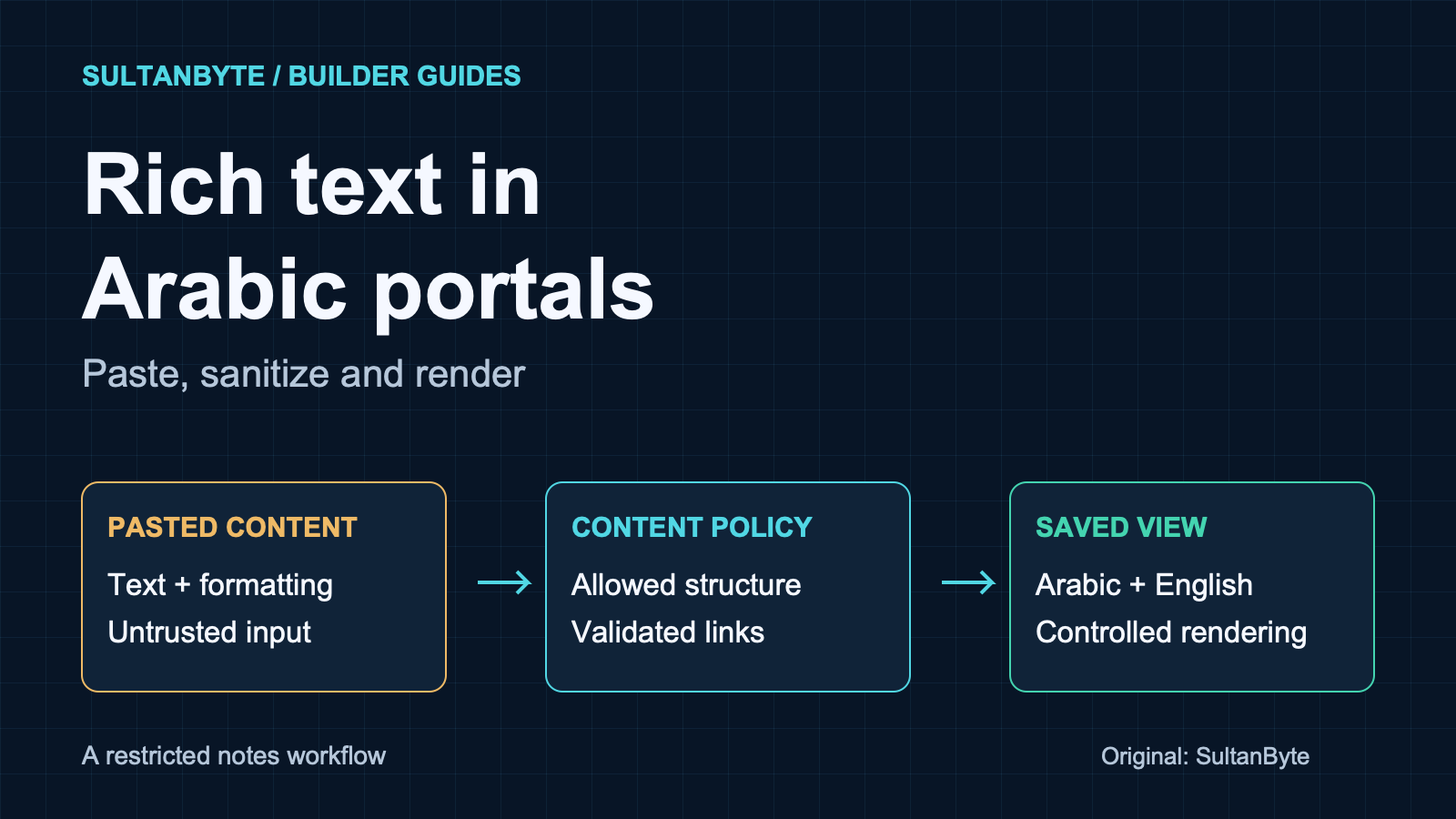
Cover: original SultanByte artwork showing pasted content passing through a restricted content policy before display.
Decide whether the field needs HTML
Start with the task. A delivery reference, contact name or short internal comment rarely needs arbitrary formatting. Keep those fields as text. Render their values through the framework's ordinary escaping or a text-only DOM operation on an ordinary element.
OWASP's XSS prevention guidance distinguishes displaying text from accepting user-authored HTML: output encoding and HTML sanitization solve different problems. Encoding a rich-text document turns its markup into visible characters; inserting untrusted markup as HTML can give it browser behaviour the author should not control.
For longer notes, write a small content contract before choosing an editor. This proposed version permits paragraphs, emphasis, lists and links. It supports language and text direction, but excludes embedded pages, arbitrary styles and remote images. Attachments use the portal's existing file workflow rather than becoming pasted HTML.
Product owners should approve that limitation explicitly. If users genuinely need spreadsheet-like tables or embedded media, those are additional features with their own rendering and access decisions. Do not quietly enable them because the editor library supports them.
Paste is an import operation
MDN documents that contenteditable="true" retains pasted formatting, while plaintext-only removes it. Neither setting validates a request sent directly to your API. The browser editing surface is a convenience, not the server's trust boundary.
Treat a rich paste as an import. Convert supported content into the editor's document model, discard unsupported presentation and show the resulting note before submission. Offer “Paste as plain text” as a visible alternative. When removing a table or image would lose meaning, explain what changed instead of silently saving an incomplete note.
The W3C Clipboard API specification separates event-based clipboard operations from asynchronous clipboard access. Its paste-event model allows an application to inspect clipboard data and replace default insertion. Use the editor's supported paste integration rather than adding a second handler that fights its selection and undo logic.
For this design, the import path never inserts raw clipboard HTML into the live page as a temporary preview. It first reduces the input to the permitted model. Dragged content and imported documents must pass equivalent checks; a safe paste handler does not cover every entry route.
Keep copying and pasting under the user's control. A notes field does not need continuous clipboard monitoring or background collection of unrelated content. Test actual paste from the office applications your customers use, because a synthetic paste event alone does not reproduce the browser's default insertion behaviour.
Make the server own the accepted document
Choose one authoritative representation. A structured document can describe paragraphs, text runs and approved marks. HTML can also be the stored format, but then the accepted HTML subset must be explicit. JSON is not inherently safe: a renderer that turns an unchecked node type or URL into markup can still create a dangerous result.
In the proposed structured model, the server rejects unknown node types, constrains attributes and applies size, nesting and link limits before storing a revision. It checks the current user's permission to edit that tenant's note. Editor-generated content receives the same validation as a direct API request.
If the rendering path accepts HTML, use a maintained sanitizer with a product-specific policy. DOMPurify's documentation describes configurable tag and attribute allowlists and warns that modifying sanitized markup afterwards can undo the protection. Its default feature set is broader than this notes feature, so do not mistake the default configuration for your content contract.
Keep the sanitizer and its parsing environment maintained. DOMPurify's server-side guidance specifically warns that bugs in an outdated DOM implementation can undermine sanitization even when the sanitizer itself behaves correctly. Record both dependencies in the release process.
For this portal, store a document-schema version and rendering-policy version alongside each accepted revision. Those are application fields, not guarantees supplied by a sanitizer. They make it possible to identify which saved notes need review after a policy change. If raw imports must be retained for troubleshooting, segregate them from renderable content and restrict access; do not leave a convenient “show original HTML” route in the admin interface.
Preserve Arabic meaning without accepting arbitrary markup
Removing every attribute is a tempting shortcut. It can also remove the direction information needed to display mixed Arabic and Latin text correctly.
W3C's bidirectional-text guidance recommends tightly wrapping opposite-direction phrases and setting their direction. For inserted text whose direction is unknown, it describes dir="auto" and the bdi element. Language and direction are separate properties: an Arabic language label is not a substitute for a direction decision.
Map that guidance into the allowed document model. Permit a bounded direction value on appropriate blocks and inline runs, and a validated language tag where the application supports it. Generate the corresponding markup through the renderer. Do not preserve arbitrary style attributes simply because a pasted paragraph contains direction: rtl.
For example, an Arabic service note may contain an English equipment code, a URL and a parenthesized reference. Preserve the underlying text and represent those runs deliberately. Do not reverse strings to imitate an RTL display or replace the user's punctuation with what happens to look right in one screenshot.
The editor also needs a way to correct an automatically chosen direction. A paragraph that starts with an English code can need a different base direction from the one a heuristic selects. Preview the saved result, not only the editable surface, and test copying it back into plain text.
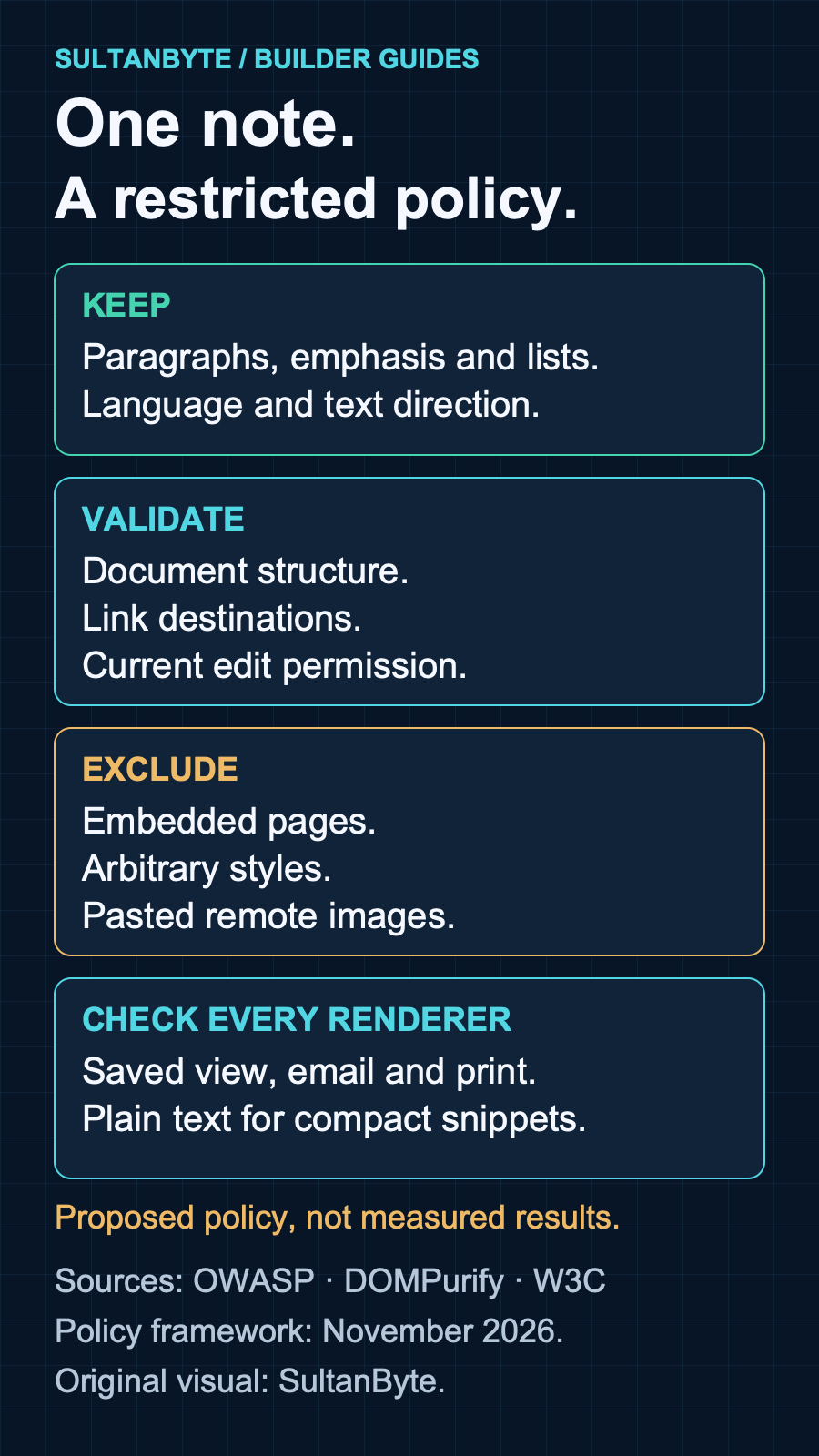
Original infographic: SultanByte. Proposed content policy informed by OWASP, DOMPurify and W3C guidance, November 2026. It shows design choices, not measured security results.
Treat links and images as separate capabilities
A link label and its destination are different values. For the proposed notes feature, accept only absolute HTTPS destinations after parsing and policy validation; reject credentials in URLs and unsupported schemes. If the product needs telephone or email links, add them as separately specified capabilities rather than broadening the rule to “anything that looks like a URL.”
Render the destination so a reader can inspect it, especially when the visible label is a short Arabic phrase. Sanitization does not establish that a permitted HTTPS website is trustworthy. Decide whether external links need a warning or confirmation based on the workflow, not the author's formatting choices.
Exclude pasted remote images in this initial policy. That keeps the note from acquiring an uncontrolled image-loading path. If a later version permits images, model them as references to approved attachments with server-controlled ownership and delivery rules. Recheck access when presenting them; hiding an upload button does not enforce tenant isolation.
For the hypothetical Saudi and UAE deployments, record the approved attachment service and any link-preview service separately. Enabling a preview that fetches a destination adds a server-side request path, not merely a prettier anchor. Review that feature under a separate fetch policy before turning it on.
Review every place the note appears
Build a renderer inventory around one saved note: the conversation view, search excerpt, agent dashboard, notification email and printable document. Each destination needs its own contract. A fragment accepted for an HTML body is not automatically suitable inside an attribute, script or email template.
Use plain text for search snippets and compact notifications where formatting adds little. Do not generate that text by stripping tags with a regular expression and assume the result preserves useful spacing. Define paragraph and list separators in the document-to-text conversion and inspect Arabic output.
Trusted Types can restrict covered browser injection sinks to values created by application-defined policies. The specification explicitly notes that the type records the application's trust decision; it does not prove the value is safe. A policy that simply returns its input would not supply the missing sanitization.
Where supported by the application's browser matrix, use Trusted Types to concentrate HTML insertion in reviewed code. Retain the content validation and sanitization controls regardless. Content Security Policy is another layer, with a separate rollout process; it should not become an excuse to accept unsafe notes.
Release against a saved-note fixture set
Use the following acceptance cases as a starting point, not as a complete security test suite:
- Paste an Arabic paragraph containing an English equipment code and parentheses. Verify the editor, saved view, email and plain-text copy preserve its meaning.
- Paste headings, a table and an image from an office document. Confirm the product explains unsupported content and does not silently claim to have preserved it.
- Submit a disallowed node or attribute directly to the API. Confirm server enforcement does not depend on the toolbar.
- Use a permitted-looking link label with a rejected destination scheme. Verify the destination policy independently of the label.
- Open a note containing an attachment reference from another tenant. Confirm that the renderer cannot turn that reference into access.
- Reopen saved fixtures after an editor, sanitizer or parser update. Check both rejected content and legitimate formatting that must survive.
Give the engineer responsible for rendering ownership of these fixtures and dependency updates. Give support a plain-language explanation of what users may paste and what the portal removes. Ship the smallest formatting contract that meets the actual task, then expand it only when the server and every reader-facing view can support the change.
About the author
- I have lead the Engineering for multiple startups in UAE. I also have my own agency qualascend.com.
Comments
Join the discussionThe idea of treating pasted content as an import rather than simply accepting the clipboard HTML is really important. I also think testing the same saved note across different views is essential, because formatting that looks correct in an editor may not behave the same way in emails or exported documents. The acceptance tests make this approach much more practical for developers. Great technical breakdown!
The point about direction surviving sanitization is the one most guides skip — stripping attributes feels safe until an Arabic note with an English equipment code and parentheses renders backwards and the meaning changes. Treating paste as an import into a document model, rather than a clipboard dump, is also the right framing; the contenteditable default of keeping formatting is exactly how stray styles and direction markup leak in. I liked the fixture set at the end, especially reopening saved fixtures after a sanitizer or parser update — that is the check teams forget, and it is where a previously safe note quietly starts rendering differently. One thing I would add: the renderer inventory is worth extending to exported views too, like PDFs or emailed copies, since those often bypass the sanitized path entirely.
Builder Guides
Practical architecture, engineering, security and implementation guides for teams building technology in MENA.