Offline forms for MENA field teams: safe sync
A browser architecture for Arabic-English field forms: local saves, bounded retries, conflict review and account-safe recovery.
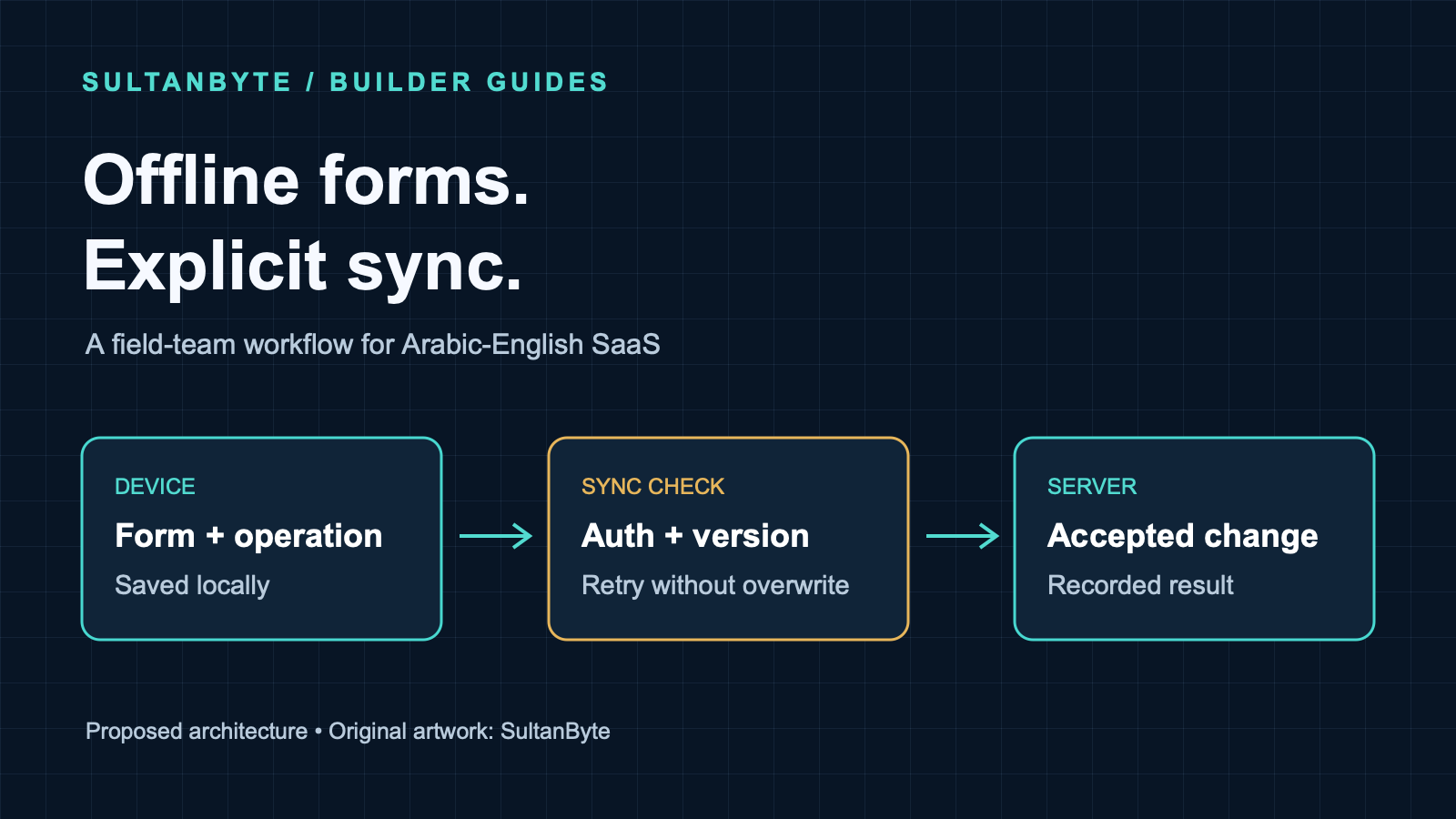
A field worker finishes an inspection, taps Save and closes the browser. The screen said the form was saved. The office still cannot see it.
That gap needs a product contract. For an Arabic-English field-service application, saving on a device and accepting a change on the server are different events. A usable offline mode makes both visible and can recover when the connection disappears between them.
This guide proposes a browser-based design for inspection notes and ordinary work-order updates. Consider a Saudi maintenance deployment and a UAE property-services deployment as separate customer configurations, not as evidence that either country has poor connectivity. The engineering problem is an interrupted session, wherever it happens. Payments, identity evidence and irreversible approvals need a separate risk assessment before they become offline actions.
Cover: original SultanByte artwork showing a locally saved form passing through a sync check before server acceptance.
Give “saved” a precise meaning
Use distinct user-facing states: editing, saved on this device, waiting to send, needs attention and accepted by the server. Do not replace all of them with a green tick.
In the proposed design, each submitted change has a stable operation ID, an account and tenant binding, a target record, a schema version and its original payload. An edit to an existing record also carries the server version from which the user started. Keep the device's capture time as context; it must not decide which conflicting update wins.
Show pending work somewhere users can find after reopening the application. Include a count, the oldest pending item and the next available action. A “Sync now” control is more useful than a status icon that changes colour without explaining what remains on the phone.
Product owners should choose which actions can be queued. Drafting an inspection note may be acceptable offline. Closing a disputed work order or approving a refund may require a fresh server decision. Write that boundary into the interface and API contract rather than expecting the sync engine to infer it.
Commit the form and its pending operation together
W3C's current IndexedDB draft defines transactions for reading and changing structured browser data, including atomic updates across records within the transaction's scope. That makes it a suitable building block for a local form store and an outbox of pending operations.
For this design, update the local form and append its operation in one read-write transaction covering both stores. Only display “saved on this device” after transaction completion. If the transaction aborts, keep the form visibly unsaved and explain the failure. A successful individual write request is not the same acceptance signal as the containing transaction completing.
Freeze an operation once it is eligible to send. If the user changes the form again, create a subsequent operation rather than reusing the same ID with different content. Send dependent edits in order, or deliberately coalesce edits that have never been attempted. Otherwise a retry can become a different request under an old identity.
Review durability separately from atomicity. The IndexedDB draft defines a strict durability hint for writes where reducing loss matters more than performance. Verify support and behaviour on the target browsers; a completed local transaction is not a server backup.
Browser storage still has limits. MDN's storage guidance describes best-effort storage, eviction and quota failures. An application can request persistent storage, but must inspect whether the request was granted; persistence is not protection against a user clearing site data or losing the device.
Set an offline capacity budget and handle storage errors before accepting more work. Keep application-cache growth separate from the operational decision to retain unsent forms. Do not promise a fixed number of offline days based solely on a browser's advertised maximum quota.
Make foreground sync the dependable path
Background Sync has limited browser availability. Treat it as an optional way to start delivery, not the only route by which a worker's forms reach the office.
Attempt synchronization when the application opens, when the user requests it and when the application has reason to retry a failed connection. Use bounded requests and backoff. A connectivity signal should trigger an attempt, not mark records as uploaded.
Prepare the offline interface while online: cache the required application shell, language resources and approved form definitions. Treat that cache as a separate concern from unsent work. A deployment that replaces UI assets must not clear the outbox. Version queued payloads so an older form can still be validated, migrated or held for review after an update.
The service-worker specification ties a worker's lifetime to events and permits termination when it has no work or behaves abnormally. Keep the queue in persistent browser storage rather than relying on a worker's in-memory array. Each run should be able to resume from recorded state.
Coordinate foreground and background senders so they do not repeatedly compete for the same item. Even with a local lease, make the server tolerate duplicates: a process can stop after the server commits but before the device records the acknowledgement.
Define server deduplication as an application contract. Within an authenticated tenant, store the operation ID, payload fingerprint and result with the business change in one server transaction. The same operation and payload should return the recorded result, subject to current authorization. Reusing the ID for different content should be rejected. Retain these records for the supported retry window and give expired operations an explicit recovery path.
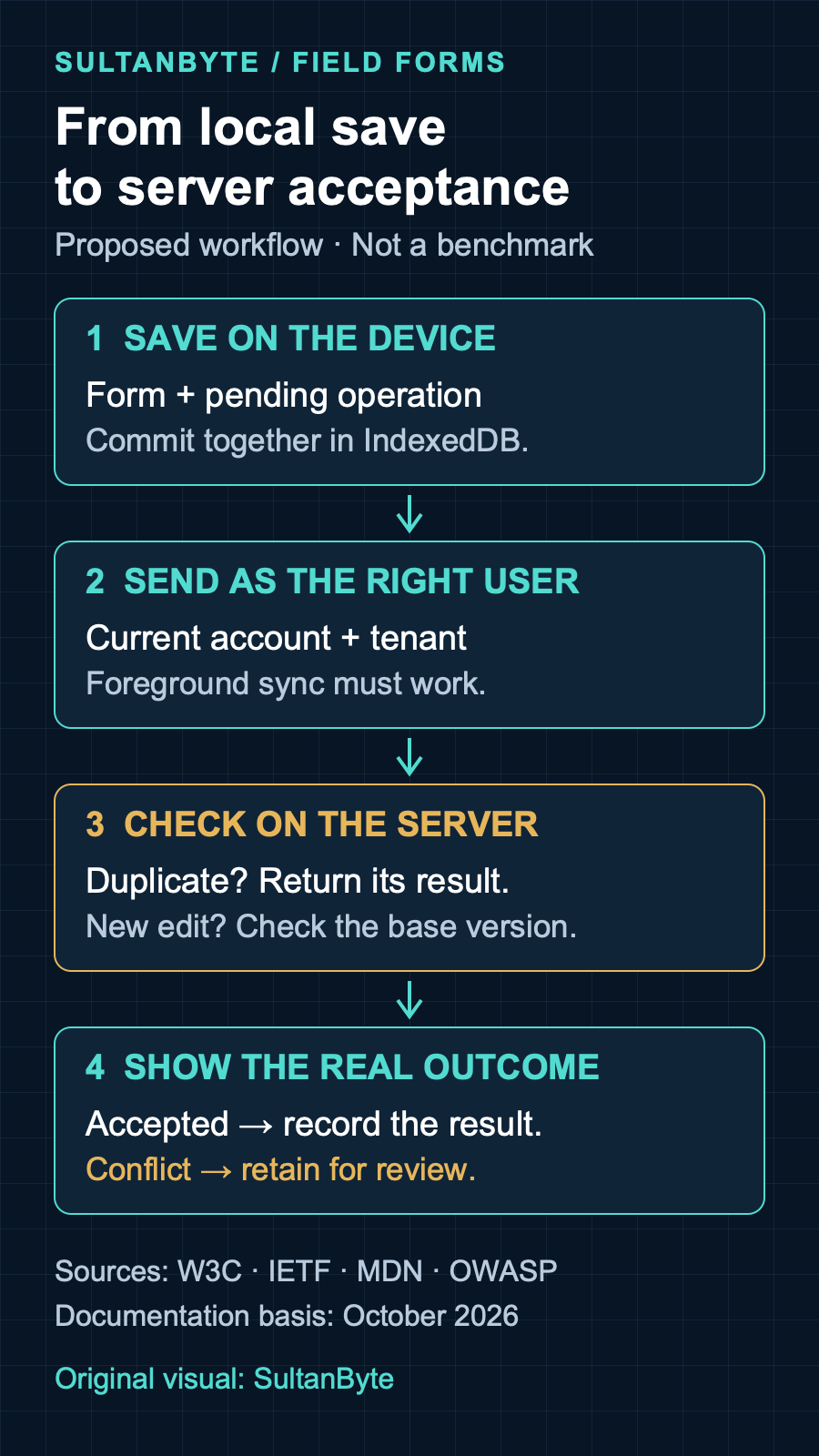
Original infographic: SultanByte. Proposed workflow informed by W3C IndexedDB and Service Workers, IETF HTTP semantics, MDN and OWASP guidance, October 2026. It is an architecture proposal, not a measured reliability result.
Detect conflicts before overwriting office work
Suppose a technician edits the cached version of a work order while a dispatcher changes it online. Retrying the technician's whole record without a version condition can erase the dispatcher's work.
RFC 9110's If-Match semantics provide a standard mechanism for conditional changes. The server compares a supplied entity tag using strong comparison before performing the method. An unsatisfied condition normally produces 412 Precondition Failed; the RFC also allows a success response when the server can verify that the requested change already succeeded.
In this design, use a strong server-issued version validator and perform the version check atomically with the update. Do not fetch a version, compare it in application code and then write without a database concurrency guard. Another update could arrive between those steps.
Keep duplicate detection and conflict detection distinct. A repeated operation that already committed should recover its recorded result. A new operation based on an old version needs conflict handling. Define and test that ordering in the endpoint implementation.
For conflicting forms, retain the original base, the local change and the current server record. Show the affected fields with their authors and server timestamps where available. Ask an authorized person to resolve meaningful disagreements. Append-only notes may support a merge policy; competing changes to an approval state should not be merged just because both requests are valid JSON.
Make a resolved submission a new operation against the reviewed server version. Preserve the link to the conflict so support can explain what happened without guessing from request logs.
Keep offline data inside an account boundary
OWASP's HTML5 security guidance warns that IndexedDB does not provide confidentiality by itself. Local device access and cross-site scripting affect the threat model. Stored browser content must also be treated as untrusted when read back.
Minimize the fields available offline. Do not copy an entire customer directory onto every worker's device to make one inspection form work. Avoid storing credentials in the outbox. Validate queued content on the server exactly as you would an online submission, including record ownership and permitted state transitions.
When authentication expires, pause sending and show that sign-in is required. Never attach the next person's session to the previous person's queued work. After sign-in, compare the authenticated account and tenant with the queue binding before attempting delivery. A matching tenant alone is insufficient on a shared device.
Choose a logout policy that addresses unsent work explicitly. A shared-device workflow may require synchronizing or deliberately discarding pending data before handover. If retention is allowed, it needs an approved device-access and encryption design. Do not market a hidden browser database as a secure vault.
For Saudi and UAE customer deployments, document the permitted devices, sync endpoint, server processing route and recovery destination separately. This guide does not establish a national storage obligation. Any contractual or regulatory assessment should cover the device-held copy as well as the server. This is practical engineering information, not legal advice.
Test the Arabic workflow across interruptions
Use the actual Arabic and English forms in acceptance tests. Include Arabic notes, mixed-script work-order identifiers and the field-specific digit handling your product supports. Check the reopened form, pending-work screen and conflict screen, not just the initial editor. SultanByte's Arabic digit-input guide covers the separate parsing contract.
Treat the following as a proposed release test pack, not benchmark results:
Close and reopen the application after a local save. Require the form and pending operation to agree.
Commit an operation on the server, then drop its response. Retry and require one business change with a recoverable acknowledgement.
Edit the same record from the office and a disconnected device. Require a visible conflict rather than a silent overwrite.
Fill or deny browser storage. Require an honest unsaved state instead of a success message.
Expire the session, then sign in as another user. Require the previous user's work to remain inaccessible and unsent under the new identity.
Disable Background Sync. Require the foreground path to finish delivery.
Deploy a new application version while old operations remain queued. Require either compatible processing or an explicit migration/review path, never silent deletion.
Record the device, browser version, app version and network interruption used in each test. Inspect server state alongside the screen. A reassuring toast does not prove that the office received the form.
Start with a narrow offline pilot on approved devices and a small set of reversible actions. Give support a way to distinguish a storage failure, expired session, rejected operation and unresolved conflict. Expand the workflow only after people can recover pending work without being told to clear their browser data.