Arabic digits in web forms: a production validation guide
Accept Arabic-Indic and Extended Arabic-Indic digits without corrupting OTPs, phone numbers, amounts, or account references.
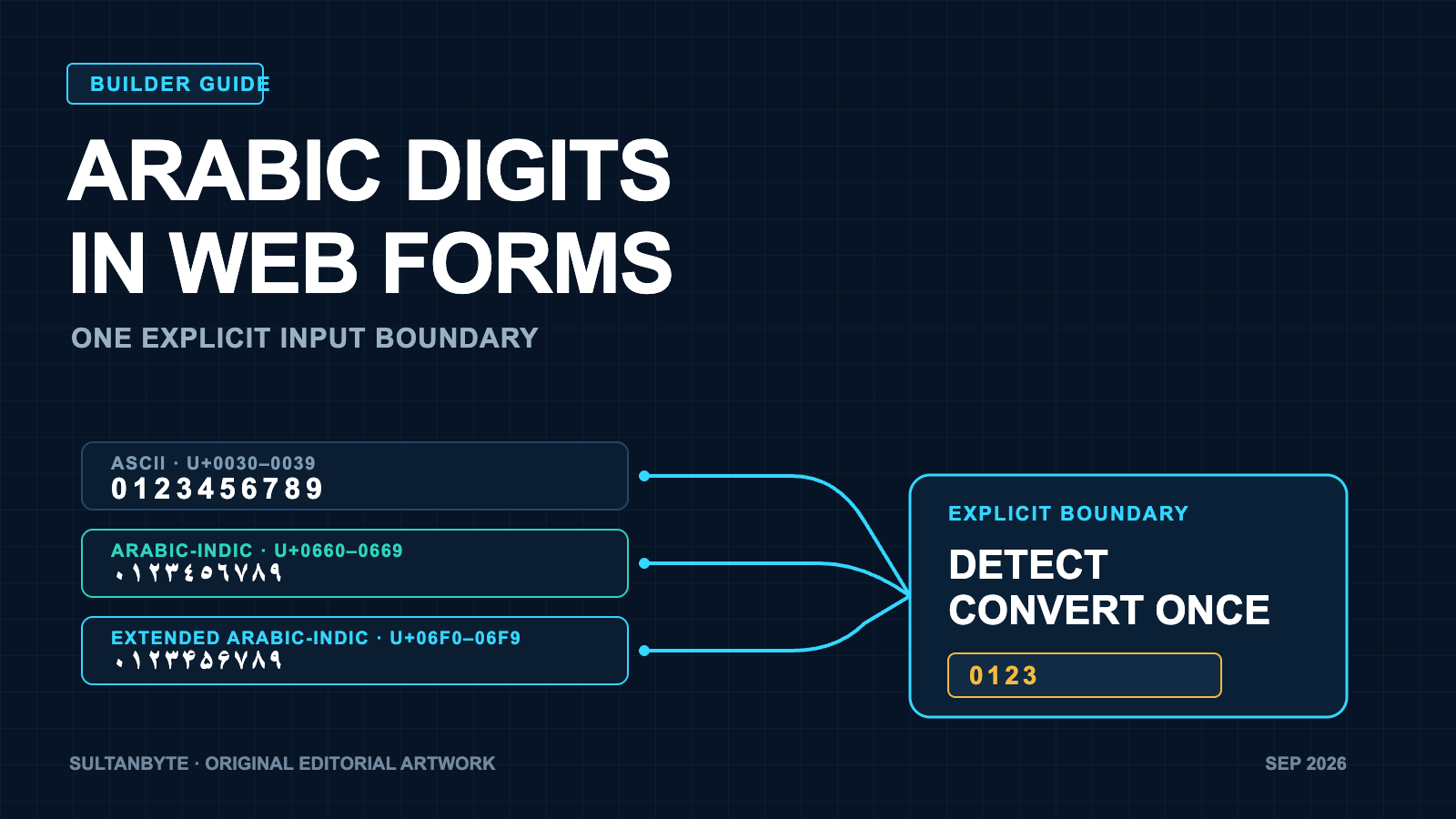
Arabic users may enter the same number with three different Unicode digit sets. 123, ١٢٣, and ۱۲۳ all read as one hundred and twenty-three, but a browser control, a JavaScript service, and a Python service may not treat them alike.
That mismatch reaches production in ordinary places: OTP screens, Saudi phone-number forms, invoice amounts, account references, and admin search. The safe design is an explicit conversion boundary. Decide which digit sets each field accepts, preserve meaning such as leading zeroes, convert accepted digits to one canonical representation, and then run field-specific validation.
Cover: original SultanByte editorial artwork.
Arabic interfaces encounter three digit families
The W3C Arabic and Persian Layout Requirements distinguishes three families used with Arabic-script languages:
| Family | Unicode range | Digits | Typical use noted by W3C |
|---|---|---|---|
| European / ASCII | U+0030–U+0039 | 0123456789 |
Western Arabic-speaking countries, including Algeria and Morocco |
| Arabic-Indic | U+0660–U+0669 | ٠١٢٣٤٥٦٧٨٩ |
Eastern Arabic-speaking countries, including Egypt, Saudi Arabia, and Iraq |
| Extended Arabic-Indic | U+06F0–U+06F9 | ۰۱۲۳۴۵۶۷۸۹ |
Iran and Afghanistan |
The labels matter because “Arabic numerals” is ambiguous. Unicode CLDR gives the sets distinct numbering-system identifiers: latn, arab, and arabext. CLDR also lets an application request Arabic language formatting with Western digits through the locale extension ar-u-nu-latn. The Unicode Character Database records numeric properties for characters, but each programming language still decides how its parsers use those properties.
Formatting and parsing are separate decisions. Intl.NumberFormat("ar-SA") may produce localized output, but that does not make Number() a locale-aware parser. A product can display Arabic-Indic digits and still receive ASCII from an API, or accept Arabic-Indic input while storing an ASCII canonical value.
The HTML control is not the contract
The HTML Standard’s number-input rules allow a user agent in an Arabic or Persian market to accept localized numeric input and convert it to the required submission format. The wording is deliberately permissive: a browser might support that input. The control’s stored value still has to be a valid floating-point number, and invalid programmatic values are sanitized to an empty string.
That makes <input type="number"> a poor compatibility boundary. It is useful for quantities where min, max, step, and a spinbutton make sense. It is not a good fit for an OTP, phone number, postal code, card number, or account reference. Those values may contain only digits, but they are identifiers rather than numbers. Leading zeroes can be significant, and arithmetic has no meaning.
For those fields, use a text control with the keyboard hint that matches the task:
<input
  type="text"
  inputmode="numeric"
  autocomplete="one-time-code"
  aria-label="Verification code"
/>
The HTML inputmode definition describes numeric as a request for a numeric virtual keyboard and says it is useful for PIN entry. It does not validate the value. decimal asks for a fractional keyboard with the locale’s separator. Server-side validation remains necessary.
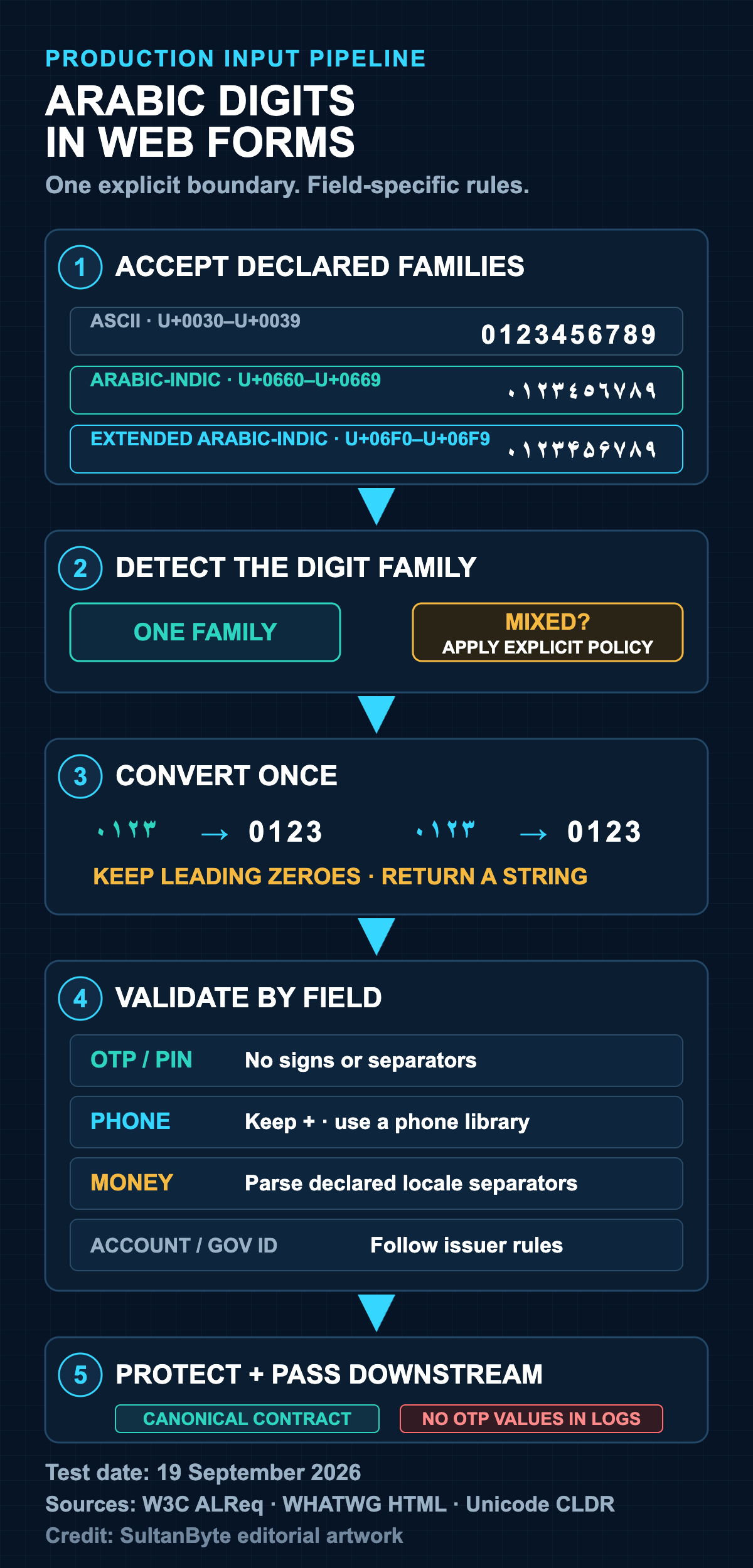
Sources: W3C Arabic and Persian Layout Requirements; WHATWG HTML Standard; Unicode CLDR. Test date: 19 September 2026. Credit: SultanByte editorial artwork.
The runtimes disagree before business logic begins
A small probe shows why implicit conversion is risky. The same four strings were assigned to a detached Chromium input[type=number], passed to Node.js Number() and parseInt(), and passed to Python int().
| Input | Chromium number value | Node Number() |
Node parseInt() |
Python int() |
|---|---|---|---|---|
123 |
123 |
123 |
123 |
123 |
١٢٣ |
empty | NaN |
NaN |
123 |
۱۲۳ |
empty | NaN |
NaN |
123 |
1٢3 |
empty | NaN |
1 |
123 |
Environment: Chromium-based Ego Lite, Node.js v22.23.1, and Python 3.9.6 on macOS, tested 19 September 2026. The Chromium probe set the DOM value property; it did not test every keyboard, browser, or operating-system locale. The result is a compatibility warning, not a browser market-share claim.
The mixed string is the most dangerous row. parseInt("1٢3", 10) returns 1, because it stops at the first character it cannot parse. That is a valid result with the wrong meaning. Python accepts all four rows because its integer parser recognizes Unicode decimal digits. Neither behavior should silently define a product policy.
The ECMAScript specification’s StringToNumber grammar uses the language’s decimal-digit grammar rather than every Unicode character with a decimal value. Unicode, meanwhile, gives decimal characters numeric properties independently of what a particular language runtime accepts. A regex using Unicode property escapes, such as /^\p{Nd}+$/u, therefore answers a different question from Number(value).
Canonicalize according to the field
A useful boundary has two stages. Syntactic validation decides whether the characters and structure are allowed. Semantic validation asks whether the resulting value makes sense for the business operation. OWASP’s input-validation guidance recommends both.
Apply the following policy by field rather than through one global “normalize Arabic” function.
OTP and PIN entry
Accept the digit families your users can reasonably enter, map each accepted digit to its ASCII value, then compare the canonical string. Preserve length and leading zeroes. Reject separators, signs, decimal marks, and invisible characters.
Choose whether to reject mixed families. Rejecting them is simple and catches odd copy-and-paste input; accepting them can be more forgiving on keyboards that switch scripts. Either choice can work if it is explicit and tested. Do not write OTP values or their raw input to logs.
Phone numbers
Use type="tel" or a text field with inputmode="tel", not a numeric control. Convert accepted digit characters, retain a possible leading +, and pass the canonical string to a maintained phone-number library. Country selection and national-number rules still matter. Integer parsing will remove leading zeroes and cannot establish whether a number is routable.
Money and quantities
Do not run the integer-only mapping below over a formatted amount. Arabic decimal and grouping separators are separate characters, and their meaning depends on the selected locale. Parse with a declared locale policy, reject unexpected separators, convert to a decimal representation, and apply currency-specific precision rules. A quantity can use type="number" when its browser behavior is acceptable, but the API must repeat range and step checks.
Account and government references
Treat the value as an identifier. Ask the issuing system which scripts, lengths, check digits, and separators it permits. Canonicalization that helps an OTP can corrupt an identifier whose original spelling is evidence. Store the canonical lookup key separately from the user-visible value when the product needs both.
A narrow JavaScript boundary
This function handles integer-like tokens made from one supported digit family. It rejects mixed families by default and returns a string, so leading zeroes survive.
const DIGIT_SETS = [
  { name: "ascii", start: 0x0030, end: 0x0039 },
  { name: "arab", start: 0x0660, end: 0x0669 },
  { name: "arabext", start: 0x06f0, end: 0x06f9 },
];

export function canonicalizeDigits(input, { allowMixed = false } = {}) {
  const scripts = new Set();
  let canonical = "";

  for (const char of input) {
    const cp = char.codePointAt(0);
    const set = DIGIT_SETS.find(({ start, end }) => cp >= start && cp <= end);

    if (!set) throw new Error("unsupported character");

    scripts.add(set.name);
    canonical += String(cp - set.start);
  }

  if (!canonical) throw new Error("empty value");
  if (!allowMixed && scripts.size > 1) throw new Error("mixed digit families");

  return {
    canonical,
    digitFamily: scripts.size === 1 ? [...scripts][0] : "mixed",
  };
}
Keep punctuation outside this function. A phone parser may permit one leading plus sign. A money parser needs declared decimal and grouping characters. An OTP parser should permit neither. Narrow functions are easier to review than a Unicode-wide replacement followed by a permissive parse.
Test the boundary, not only the happy path
A useful test matrix includes all ten digits from each accepted family, leading zeroes, maximum length, empty input, pasted whitespace, bidirectional controls, Arabic and Western separators, signs, emoji, mixed families, and digits from an unsupported script. Test the same fixtures in the browser, API, worker, database lookup, and analytics pipeline.
Do not assume \d means “all decimal digits.” In JavaScript it matches ASCII digits even with the Unicode flag, while \p{Nd} matches decimal digits from many scripts. The broader property may accept more than the product intends. An allowlist of supported ranges makes the decision visible.
Metrics should record outcomes, not sensitive values: accepted digit family, rejection reason, field type, client platform, and app version. That is enough to spot a keyboard-specific failure without leaking an OTP or account reference.
Make the conversion visible in the architecture
The durable pattern is straightforward: accept declared scripts at the edge, convert once, validate the canonical string for the field, and pass only that contract to downstream services. Preserve the original only where the product needs it and policy permits it.
A localized keyboard is a user-interface aid. Unicode properties describe characters. Runtime parsers implement their own grammars. None of those layers can decide what an OTP, phone number, amount, or account reference means for the business. Put that decision in code, test it across the stack, and make every service consume the same canonical contract.