Arabic CSV exports in production: Excel, RTL and formula safety
A production guide to UTF-8, spreadsheet type inference, bidirectional text and formula injection in Arabic data exports.
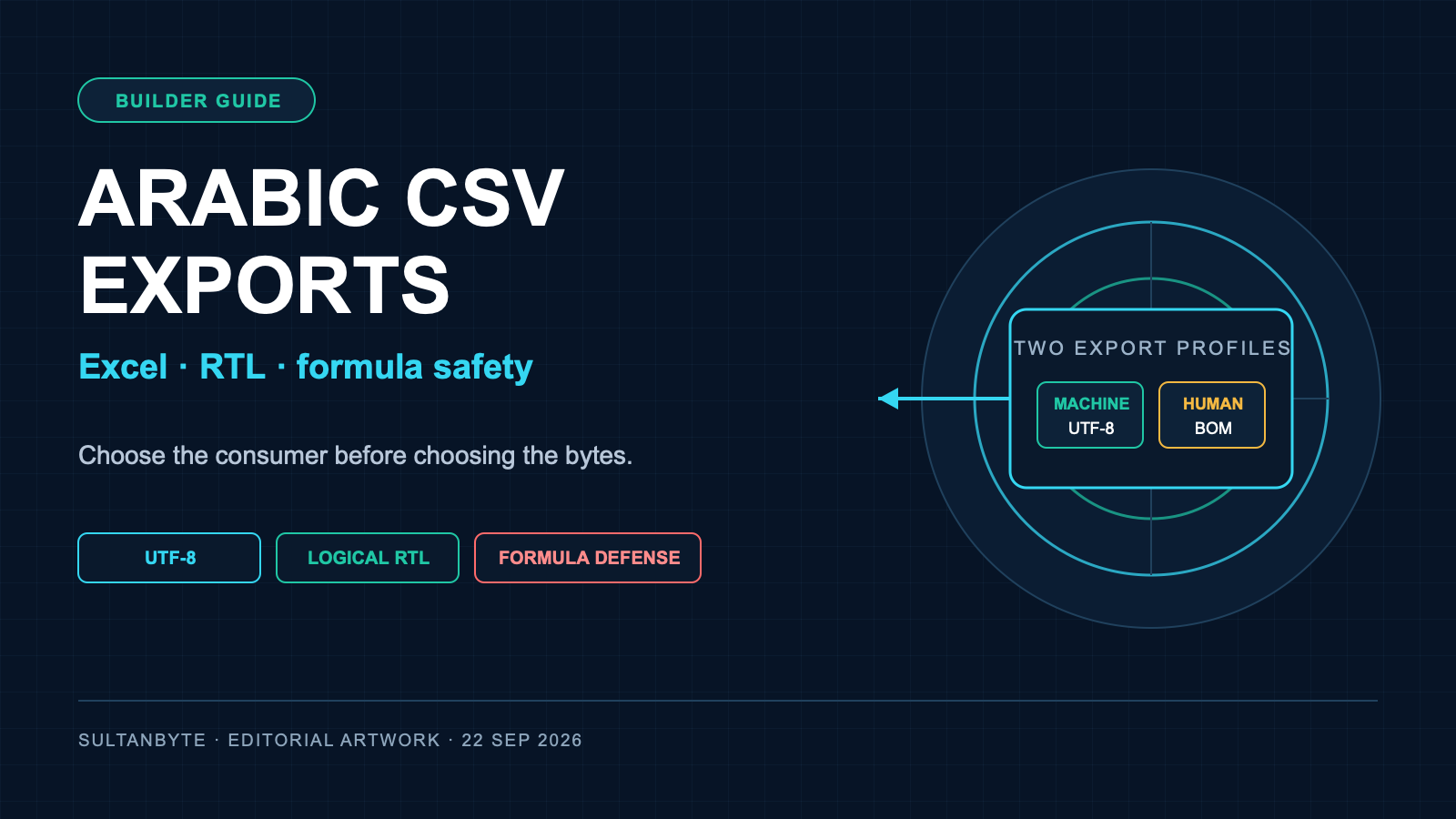
Arabic CSV exports often pass a unit test and fail the first time someone opens them in a spreadsheet. Arabic names turn into mojibake. A phone number loses its leading zero. A 16-digit reference is rounded. A mixed Arabic-English label displays with punctuation in the wrong place. Worse, an attacker-controlled value can become a spreadsheet formula when an operations team opens the file.
The root problem is not Arabic alone. CSV carries rows and fields, but it does not provide a reliable type system, layout direction, spreadsheet security policy or universal locale contract. A production export needs those decisions around the CSV, not hidden inside it.
Decide first whether the file is for another machine or for a person using Excel or LibreOffice. Those consumers need different export profiles.
Start with two explicit export contracts
A machine-ingest export should optimise for stable parsing:
- UTF-8, normally without consumer-specific markers
Content-Type: text/csv; charset=utf-8- a fixed delimiter and quoting policy
- canonical dates and decimal numbers
- documented null, newline and header behavior
- no display-only direction controls in keys or numeric fields
A spreadsheet-view export should optimise for predictable opening in the supported spreadsheet applications:
- UTF-8 with a byte-order mark when direct-open Excel compatibility is required
- identifier columns treated as text
- tested handling for formulas and mixed-direction labels
- a documented import route when direct-open inference is unsafe
Microsoft's current guidance says Excel can open a UTF-8 CSV normally when the file is saved with a UTF-8 BOM. Without it, Microsoft recommends importing through Power Query or the Text Import Wizard. That makes the BOM an Excel interoperability choice, not a general definition of CSV.
Do not silently switch one endpoint between these profiles based on browser language. Name them, version them and expose the intended consumer in the UI. If finance needs a spreadsheet and an integration partner needs a feed, generate two files from the same typed dataset.
Keep the CSV grammar boring
RFC 4180 is an informational description of a common CSV format, not a promise that every spreadsheet behaves identically. Use its basic rules as the starting point:
- use one record per line;
- keep the same field count in every record;
- quote fields containing commas, CRLF or double quotes;
- double any quote inside a quoted field;
- state whether the first row is a header.
Do not assemble rows with values.join(","). A customer name can contain a comma, a support note can contain a newline, and an Arabic quotation can contain the same ASCII quote character used by the dialect.
A narrow encoder is easier to test:
function csvCell(value) {
  const text = value == null ? "" : String(value);
  return `"${text.replaceAll('"', '""')}"`;
}

function csvRow(values) {
  return values.map(csvCell).join(",") + "\r\n";
}
Quoting every field is not mandatory, but it removes a branch from the encoder and makes raw-file inspection simpler. It does not stop formula execution. That is a separate control.
Define a schema before formatting values
CSV has fields, not dependable spreadsheet types. If the export pipeline starts from display strings, it has already lost useful information.
Define each column as an identifier, text, date, decimal, enum or free-form note before serialisation. Then apply rules by type:
| Field type | Export representation | Common failure |
|---|---|---|
| Phone, OTP reference, account ID | text | leading zero removed |
| Long order or card-like reference | text | rounded or shown in scientific notation |
| Money | canonical decimal plus separate currency code | locale separator changes value |
| Date/time | ISO 8601 with timezone when relevant | day and month swapped |
| Arabic or bilingual label | Unicode text in logical order | visual-order text stored permanently |
Microsoft documents that Excel uses up to 15 significant digits for numeric precision. It also recommends importing identifier columns as Text through Power Query when leading zeros must survive. Quoting a value in CSV does not reliably force every spreadsheet to keep it as text.
For a human-facing report, the dependable options are a controlled import step or an XLSX file with explicit cell types. CSV remains useful when portability matters more than formatting, but it should not impersonate a typed workbook.
Store Arabic in logical order
Arabic text should be stored in the same logical character order in which it was authored. The Unicode Bidirectional Algorithm changes display order; it does not ask applications to reverse the stored string. Digits and Latin product codes remain left to right inside an Arabic context.
Never reverse Arabic characters before export, and never save a screenshot's visual order back into the data. Both choices corrupt search, copying and downstream parsing.
Plain-text formats have no HTML dir attribute. For the spreadsheet-view profile, a tested cell can use Unicode isolates when a mixed-direction label needs an explicit boundary. W3C guidance for bidi controls in plain text applies directly to CSV and recommends paired isolates:
- LRI
U+2066for an isolated left-to-right run; - RLI
U+2067for an isolated right-to-left run; - PDI
U+2069to close the isolate.
Use them narrowly around display labels, not across an entire row. Keep them out of identifiers, comparison keys and values consumed by systems that are unaware of bidi controls. Invisible characters are still data.
Locale formatting needs the same boundary. Unicode's LDML number specification distinguishes numbering systems and separators, including Arabic locales that display Western digits through ar-u-nu-latn. A CSV integration should normally carry a canonical decimal such as 1234.50, not whatever glyphs and grouping marks were shown in the UI. Localise the spreadsheet view only when the column contract says it is presentation text.
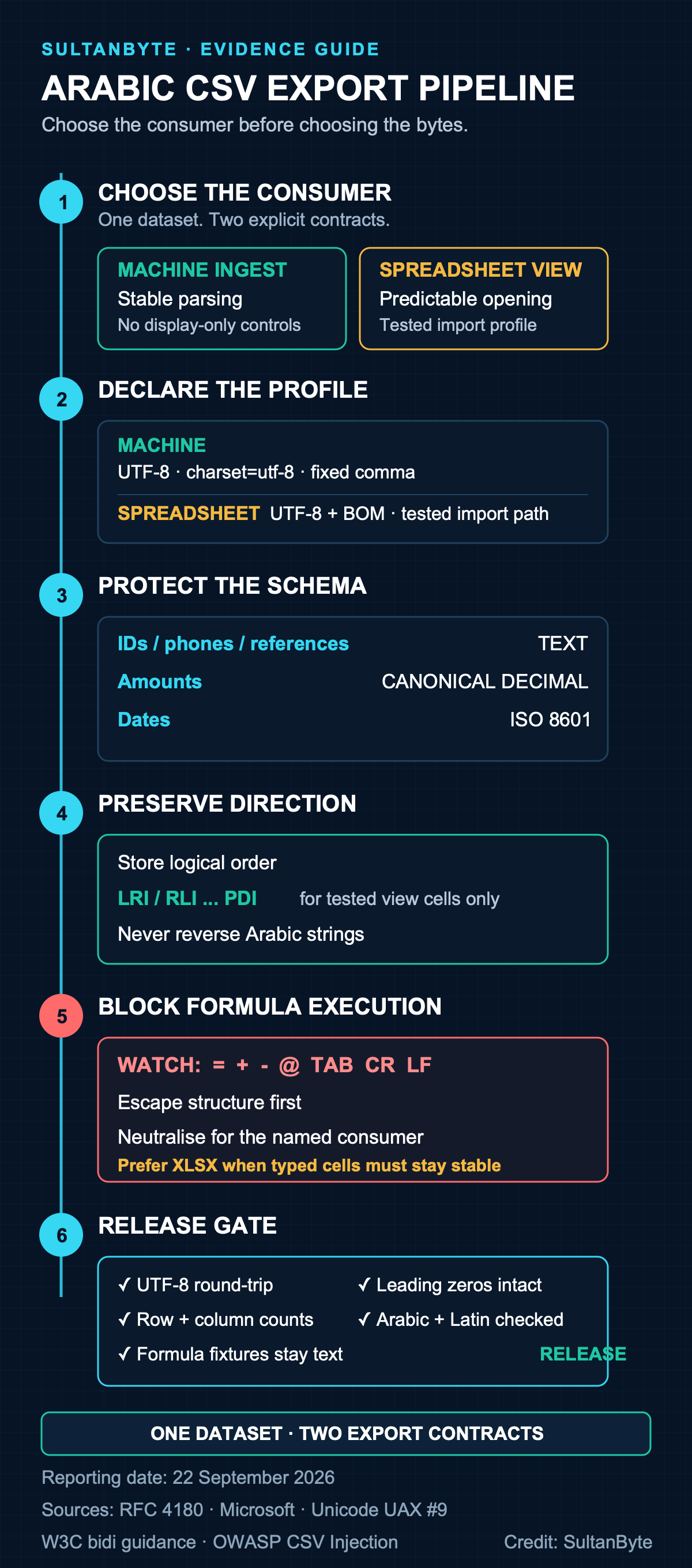
Arabic CSV export pipeline. Sources: RFC 4180, Microsoft Excel documentation, Unicode UAX #9, W3C bidi guidance and OWASP CSV Injection. Reporting date: 22 September 2026. Credit: SultanByte editorial artwork.
Treat spreadsheet formulas as executable input
If an untrusted cell begins with formula syntax, a spreadsheet may evaluate it when the file opens. OWASP's CSV Injection guidance calls out values beginning with =, +, -, @, tab, carriage return or line feed, along with some full-width variants. An attacker may also use a delimiter or quote to move a dangerous character to the start of a new cell when the encoder is broken.
The order of controls matters:
- Validate the value against the column's schema.
- Encode the CSV structure correctly so a value cannot escape its field.
- Apply spreadsheet-specific formula neutralisation to untrusted text fields.
- Test the result in each supported spreadsheet, including save and reopen.
Quoting alone is not a formula defense. Prepending an apostrophe can change the visible data or fail after another import/export cycle. OWASP documents a tab-prefix technique for some Excel workflows, but also warns that the tab remains part of the underlying value and may affect other consumers. There is no universal transformation that is safe for every spreadsheet and every downstream parser.
That is another reason to separate profiles. Machine exports should preserve validated data and never add spreadsheet-only prefixes. Human reports can apply a tested neutralisation policy. If users need editable, typed cells with reliable security behavior, generate XLSX and set cell types explicitly rather than stretching CSV beyond its limits.
Test the consumer, not only the encoder
A round-trip parser test proves that your own code can read its output. It does not prove that the file survives Excel, LibreOffice or a partner's ETL job.
Build a fixture with Arabic and Latin names, commas, quotes, CRLF, empty values, leading zeros, more than 15 digits, Arabic-Indic digits, canonical decimals, ISO timestamps, mixed-direction labels and harmless formula-like strings. Include a name such as شركة الخليج, ذ.م.م, a reference such as 0012345678901234, and benign cells beginning with each trigger character.
For every release, check:
- the raw bytes are valid UTF-8 and the spreadsheet profile has the intended BOM;
- parsing returns the original row and column counts;
- identifiers remain exact strings;
- Arabic text remains in logical order;
- mixed Arabic-Latin labels render acceptably in supported spreadsheet versions;
- formula fixtures remain text;
- saving and reopening does not reactivate a neutralised value;
- machine exports contain no presentation-only prefixes or controls.
LibreOffice exposes import switches for encoding, delimiters, quoted fields, special-number detection, formula import, BOM handling and scientific notation in its CSV filter documentation. Microsoft's Power Query Text/CSV connector offers delimiter and type-detection controls. Spreadsheet behavior comes from an import profile, not from the .csv extension alone.
Ship the contract beside the download
A small README or UI note can prevent more damage than another encoder option. State the encoding, delimiter, header behavior, date format, decimal format, null representation and intended consumer. For spreadsheet exports, state which applications and versions were tested and whether users should open directly or import through a wizard.
CSV works well when its job is narrow. It fails when teams expect one file to be a neutral API payload, a perfectly localised Arabic report, a typed workbook and a safe container for untrusted text at the same time. Generate one typed dataset, then publish explicit machine and spreadsheet profiles. The extra endpoint is cheaper than repairing altered references or investigating a formula that should never have executed.
Cover and infographic credit: SultanByte editorial artwork.